Pataca
Household finance
2026
Web app
Splitwise import
Subscriptions & taxes
Phone & desktop
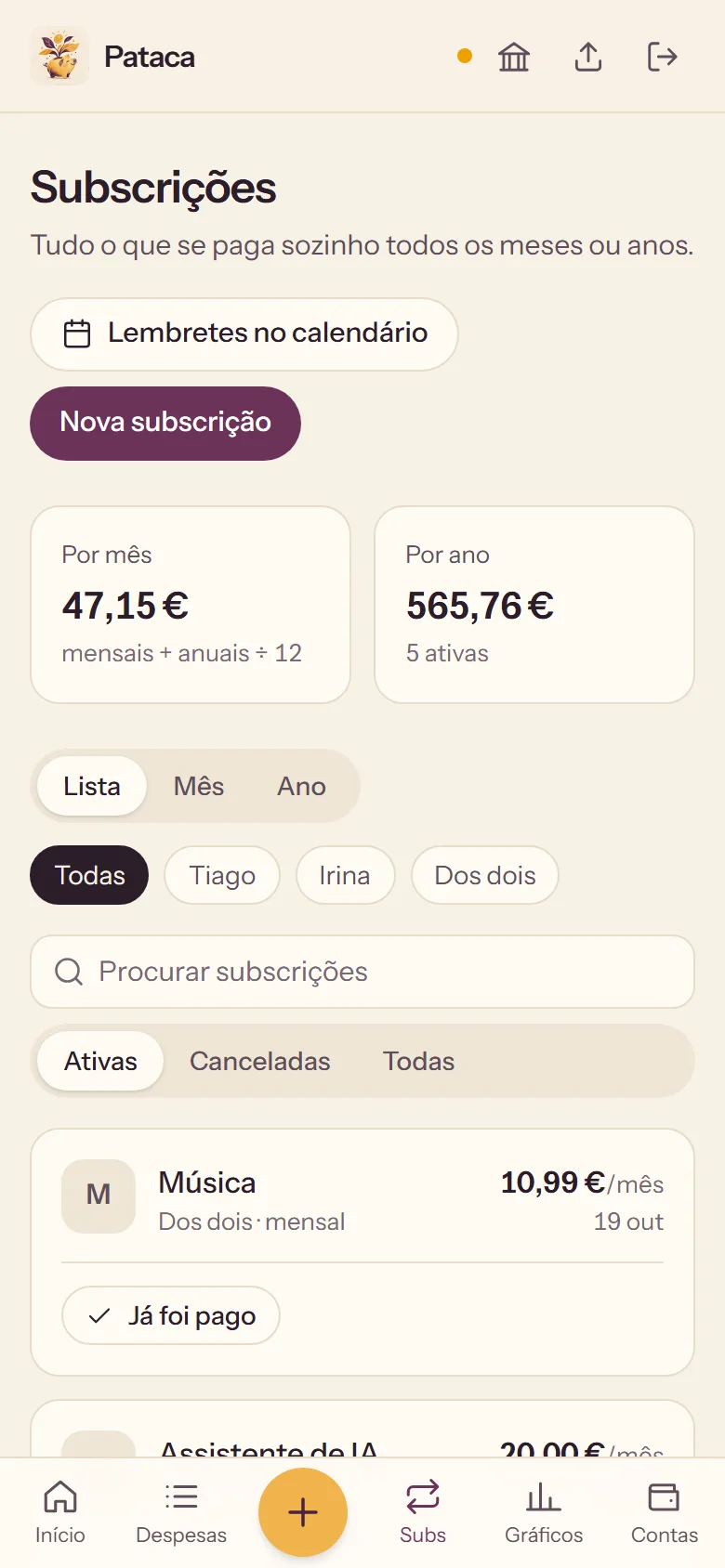
Irina and I ran our home on two apps: Splitwise for who owed whom, SUMA for subscriptions. Both did much more than we ever used, and some of what we did need was behind a paywall, like adding more than three expenses a day. And neither showed the whole picture: salaries, our son Kai's savings and tax deadlines lived somewhere else, or nowhere. So I built Pataca, a piggy bank named after the árvore das patacas, the money tree Portuguese parents swear doesn't exist. One simple app with only what we use, for everything that comes in and goes out, on both our phones.
Strategy
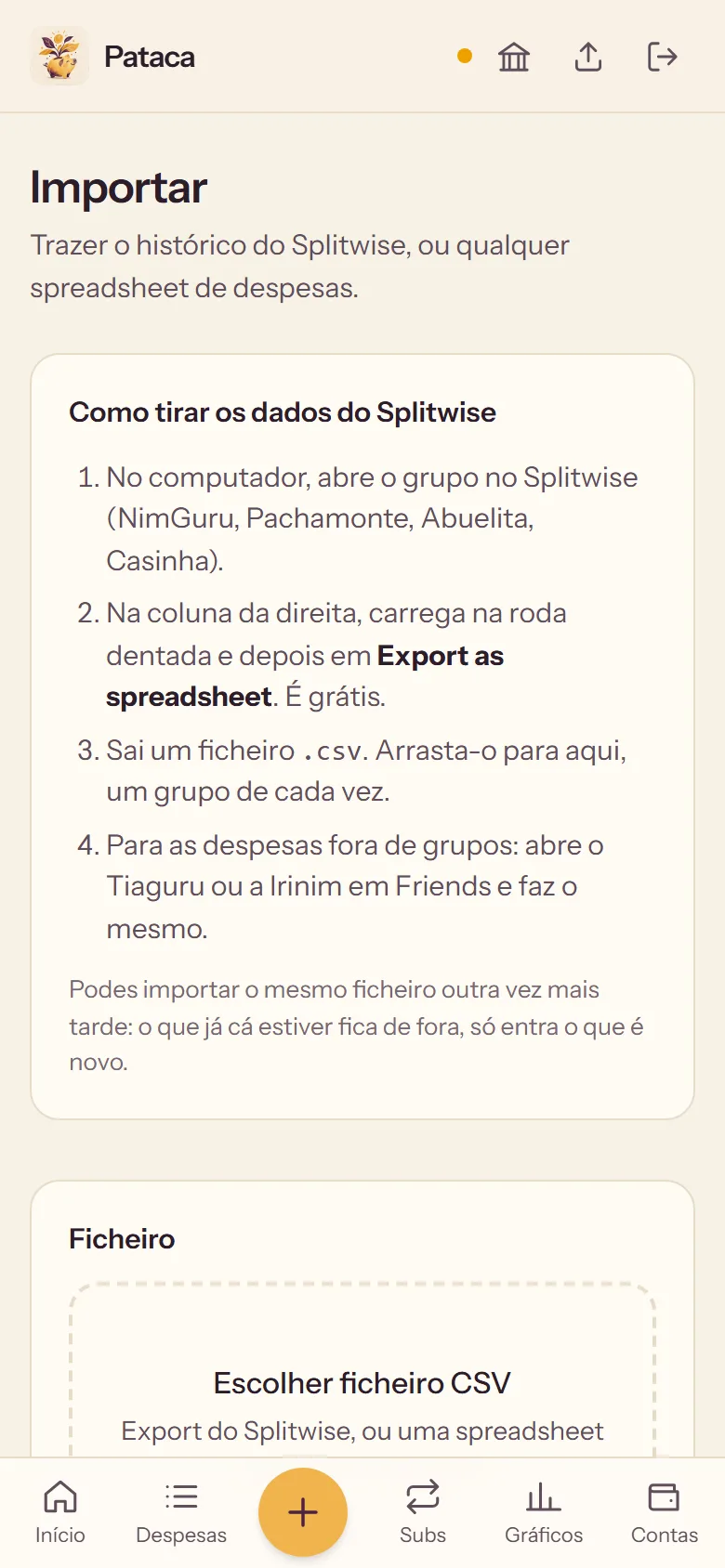
Leaving Splitwise only works if nothing gets lost. Pataca reads the file Splitwise lets you download, works out who paid and each person's share, and brought in 1,038 expenses going back to 2023. The final balance matched Splitwise to the cent, and bringing the same file in twice never counts anything twice.
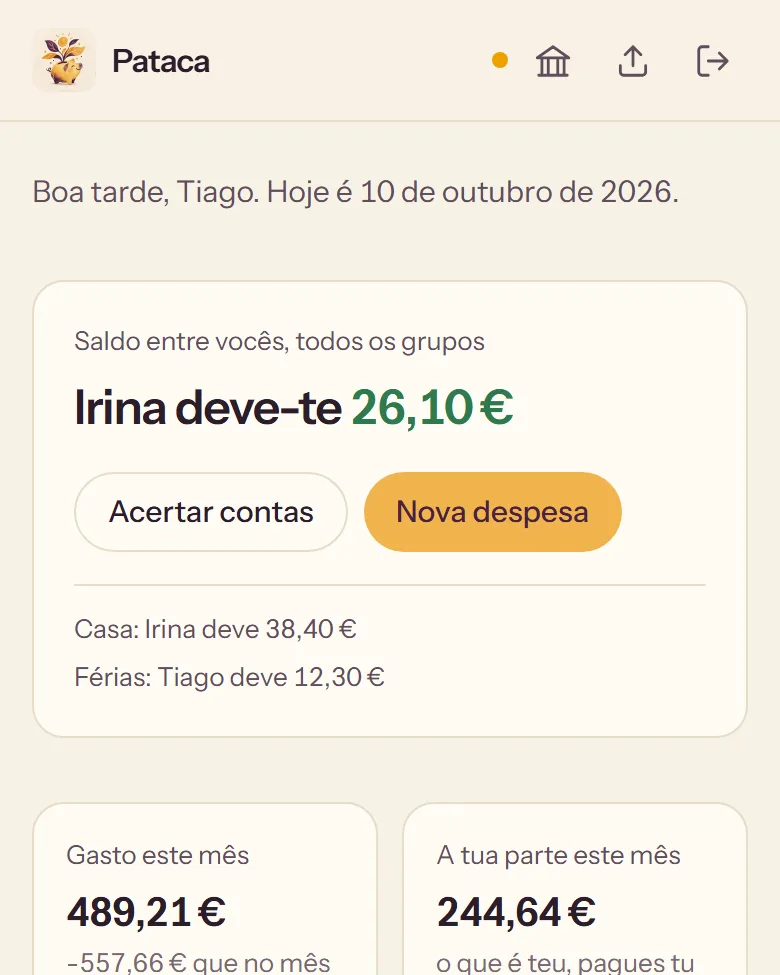
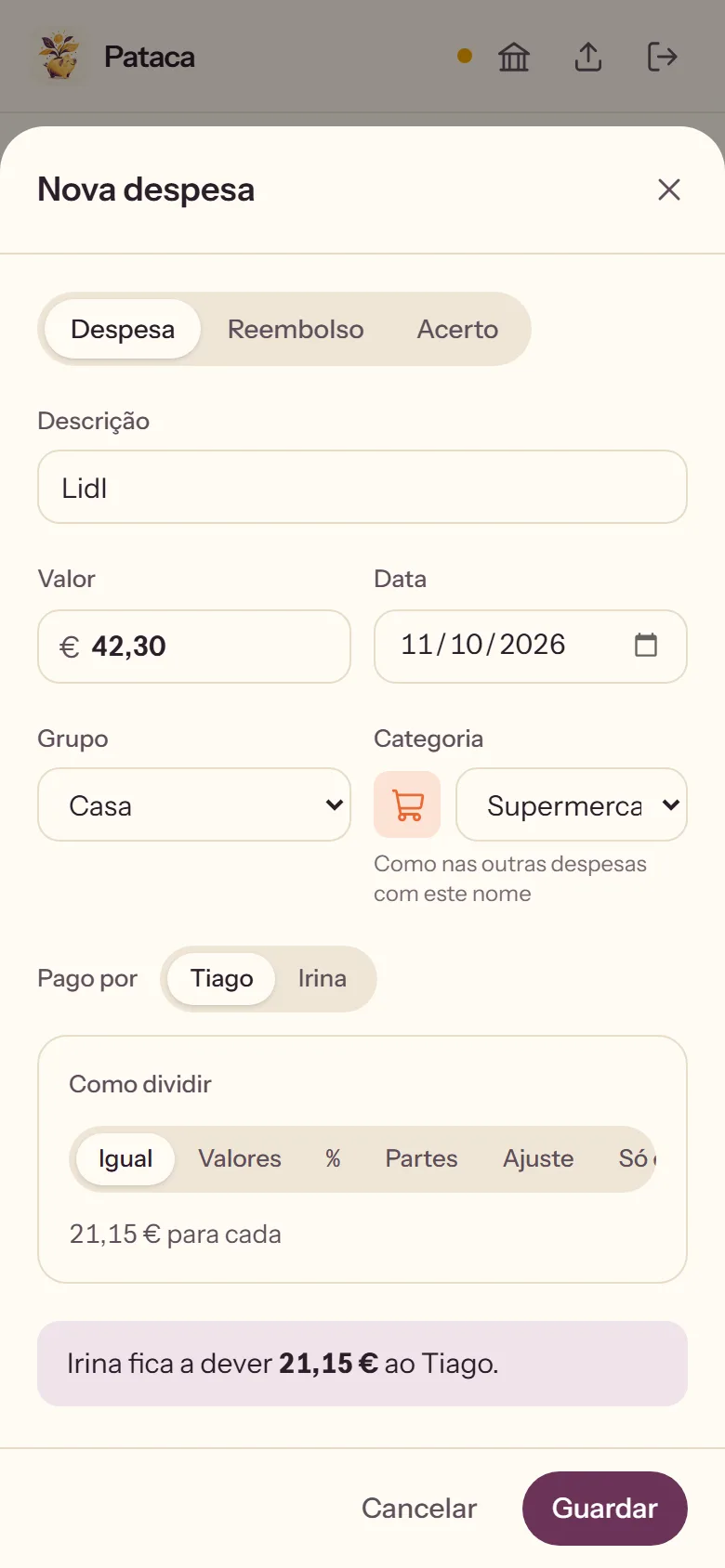
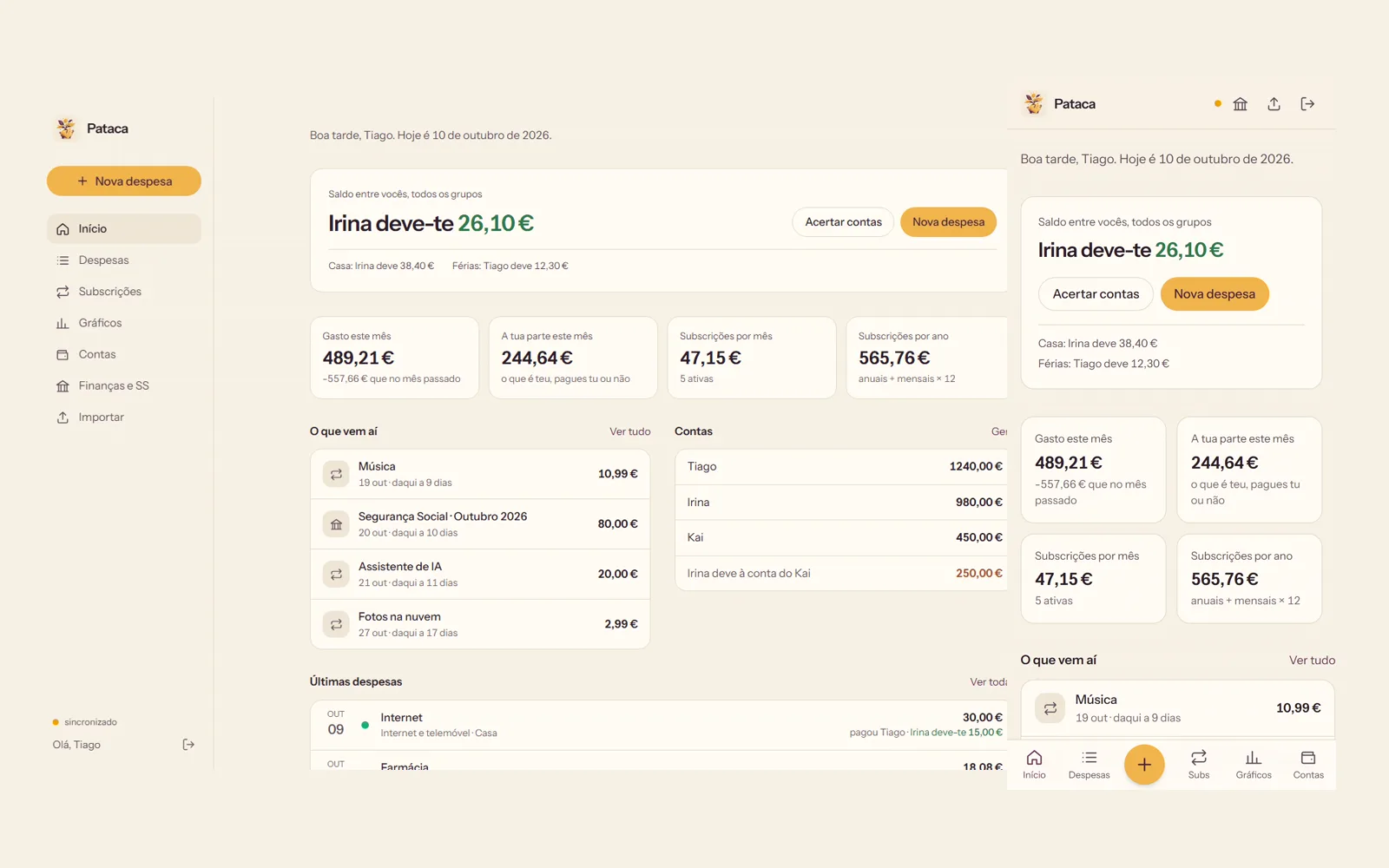
Splitwise only knows what we owe each other. Pataca also holds salaries, child benefit, what is in each account and what one account owes another, so the question changes from "who owes whom" to "where do we stand".
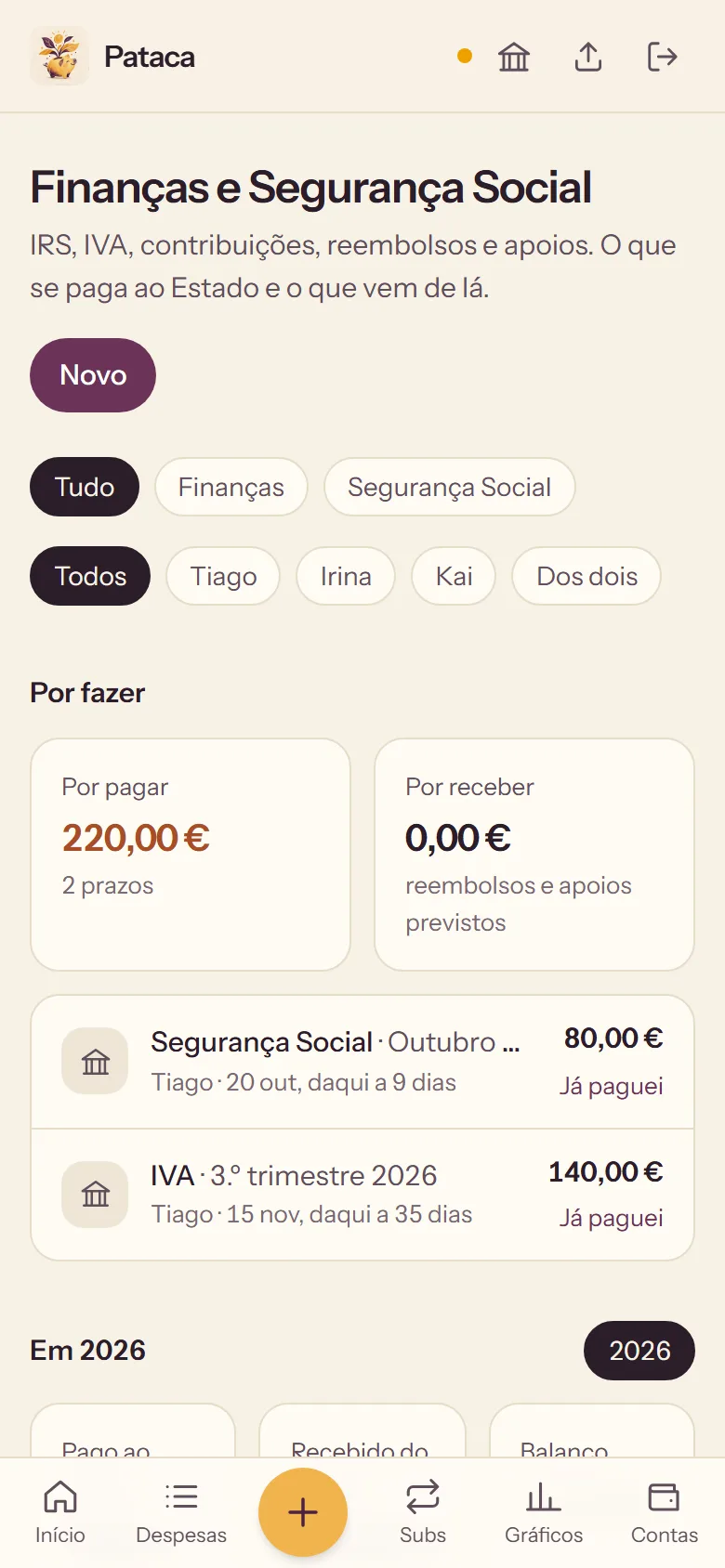
Income tax, VAT and social security each have a deadline and a reminder. What repeats sets up the next one by itself, and every year shows what went to the State, what came back, and the difference.
Design
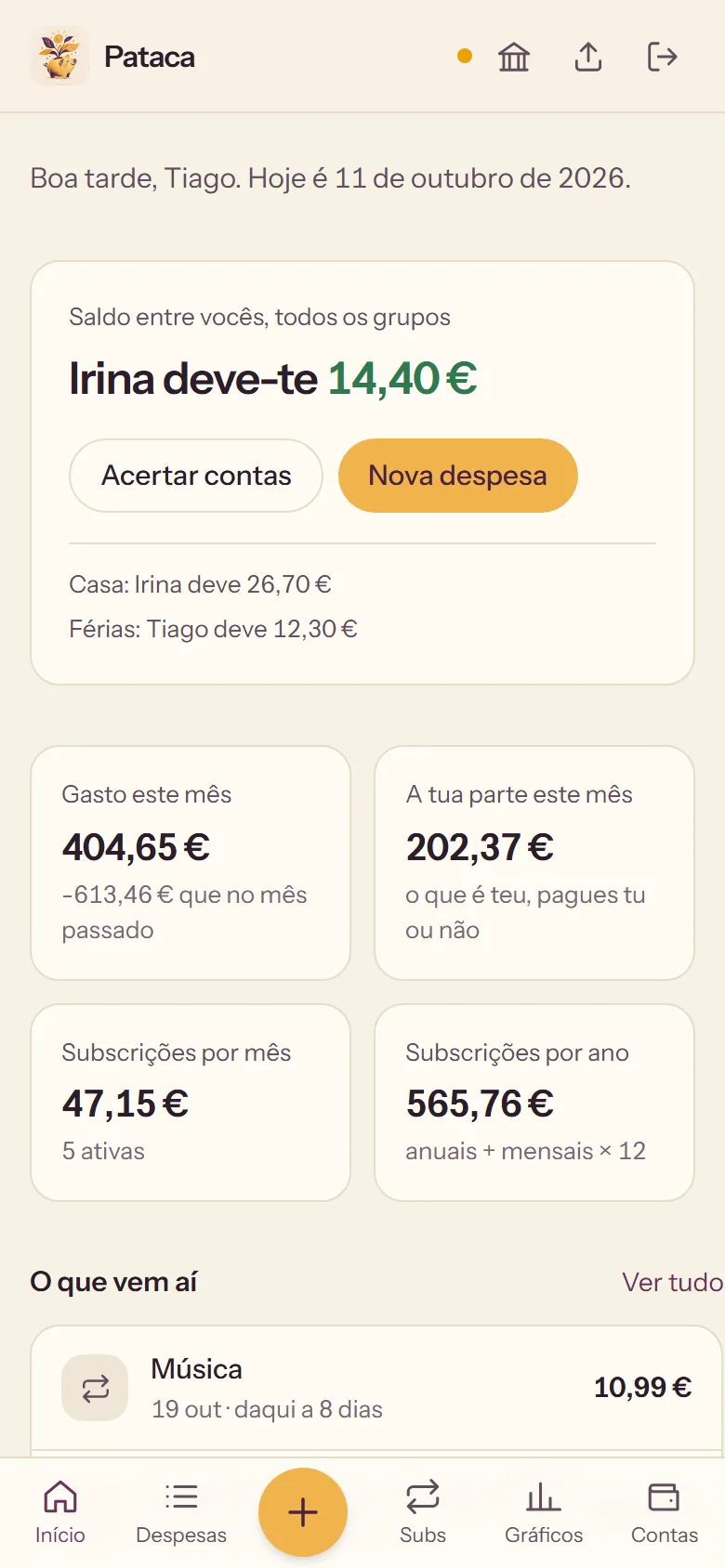
A yellow and purple icon, hand-painted and a little raw, like every NimGuru app. Inside, calm: cream paper, near-black text and one pine-green accent. Green means you get money back, clay means you owe, and nothing else is coloured. Dark mode follows the phone.
Every digit is the same width, so each amount sits in its column and a month reads like a ledger. The monthly summary prints on one page: starting balance, every expense, closing balance.
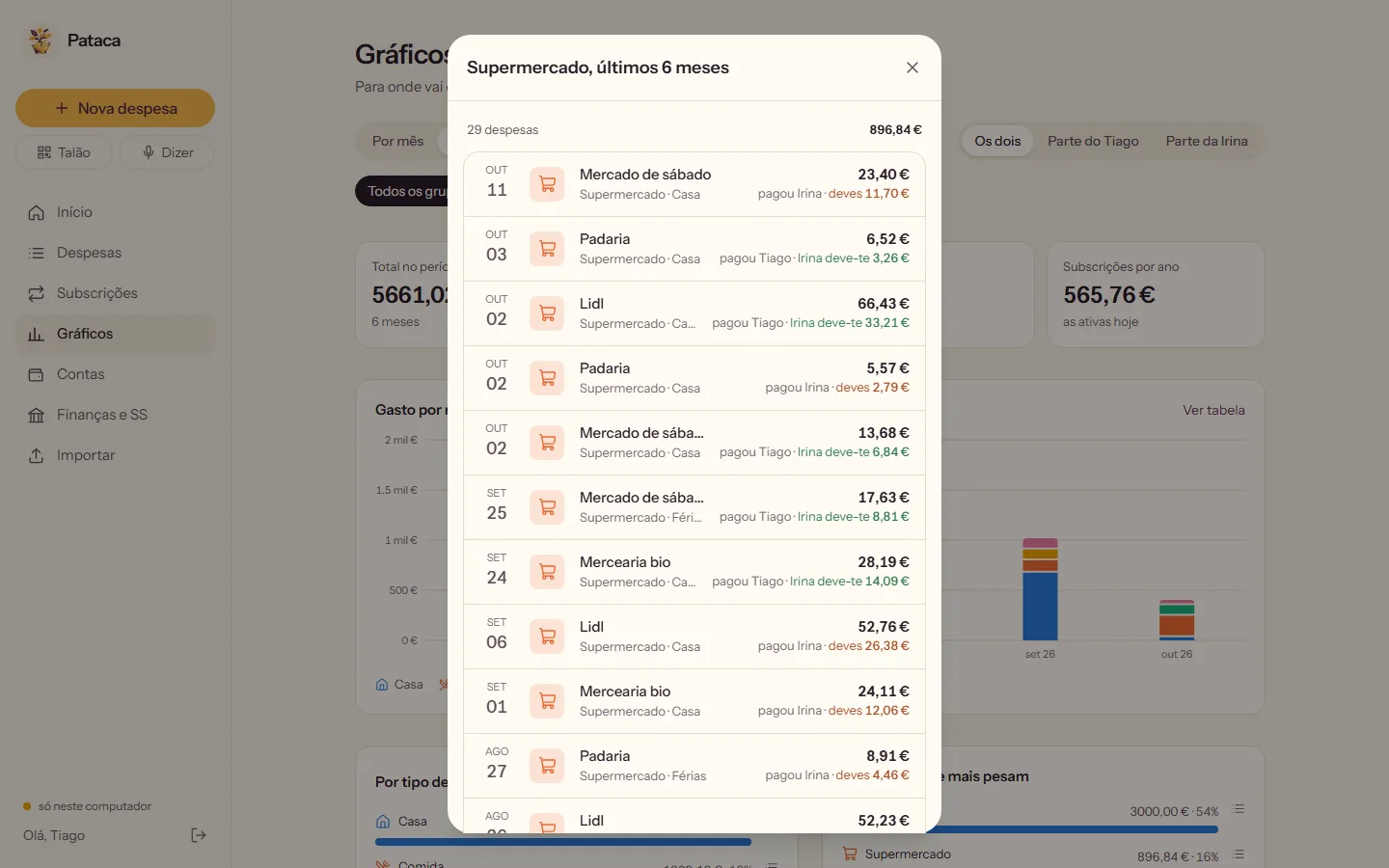
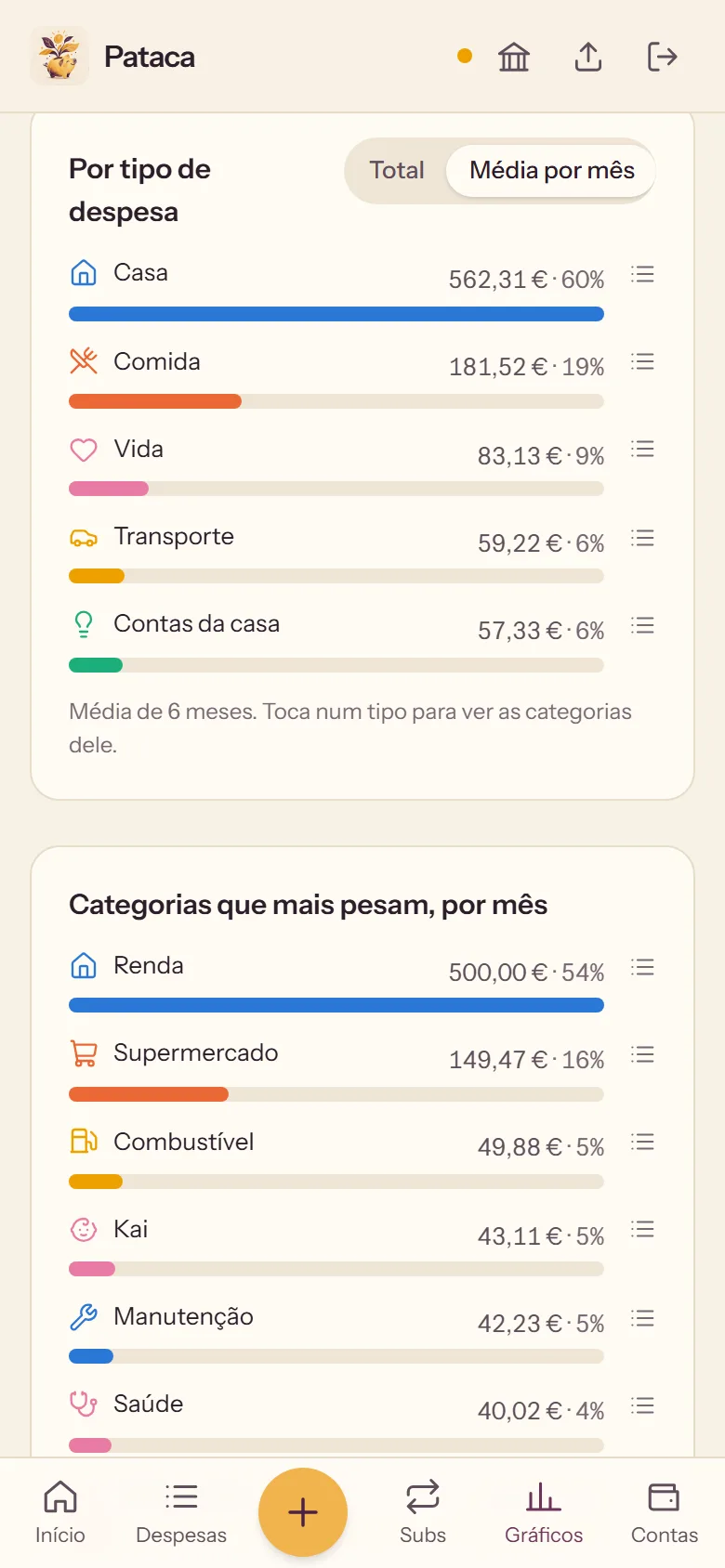
Groceries, rent, internet, pets: each category keeps its colour on every chart, from a palette checked for colour blindness. Every chart turns into a table for when exact numbers matter.
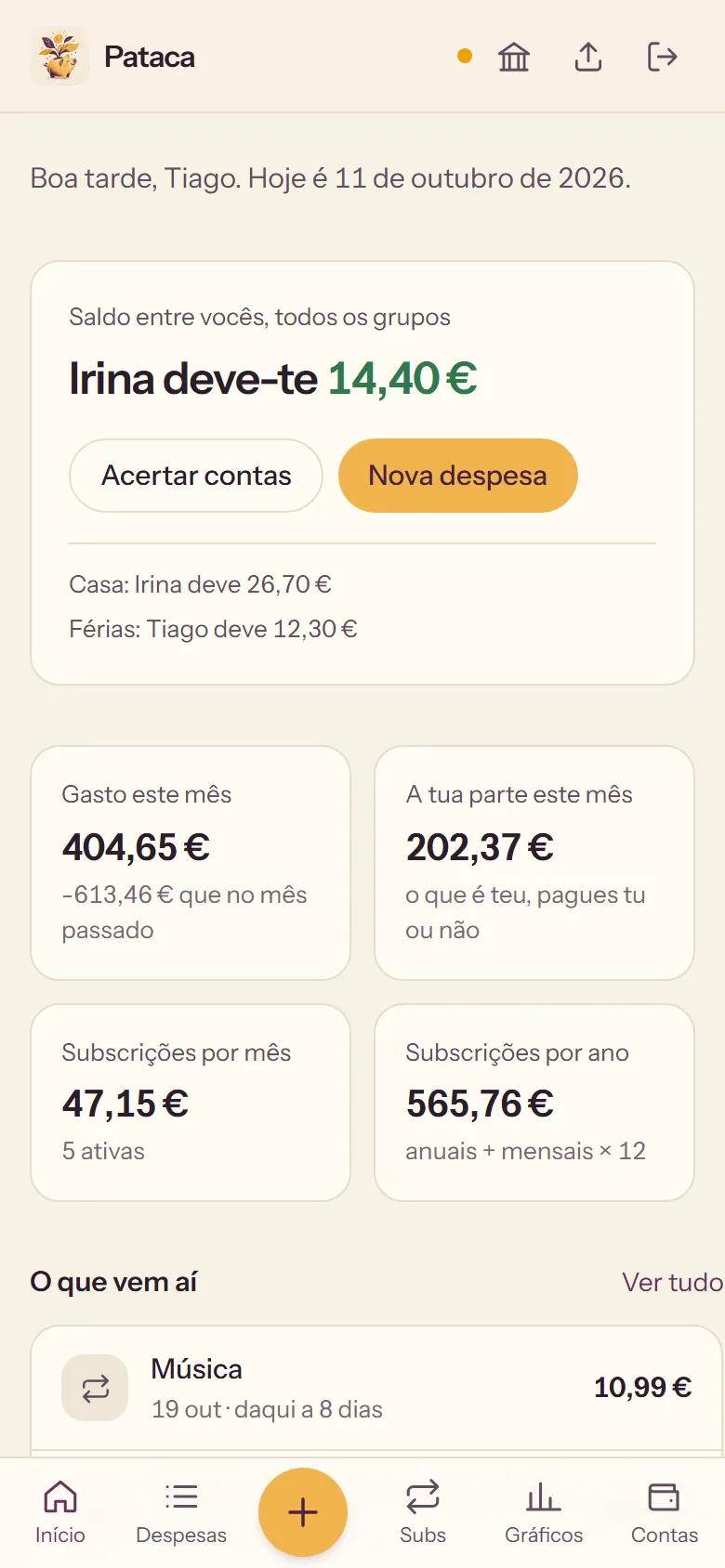
1. Where we standWho owes whom, and what this month has cost so far.
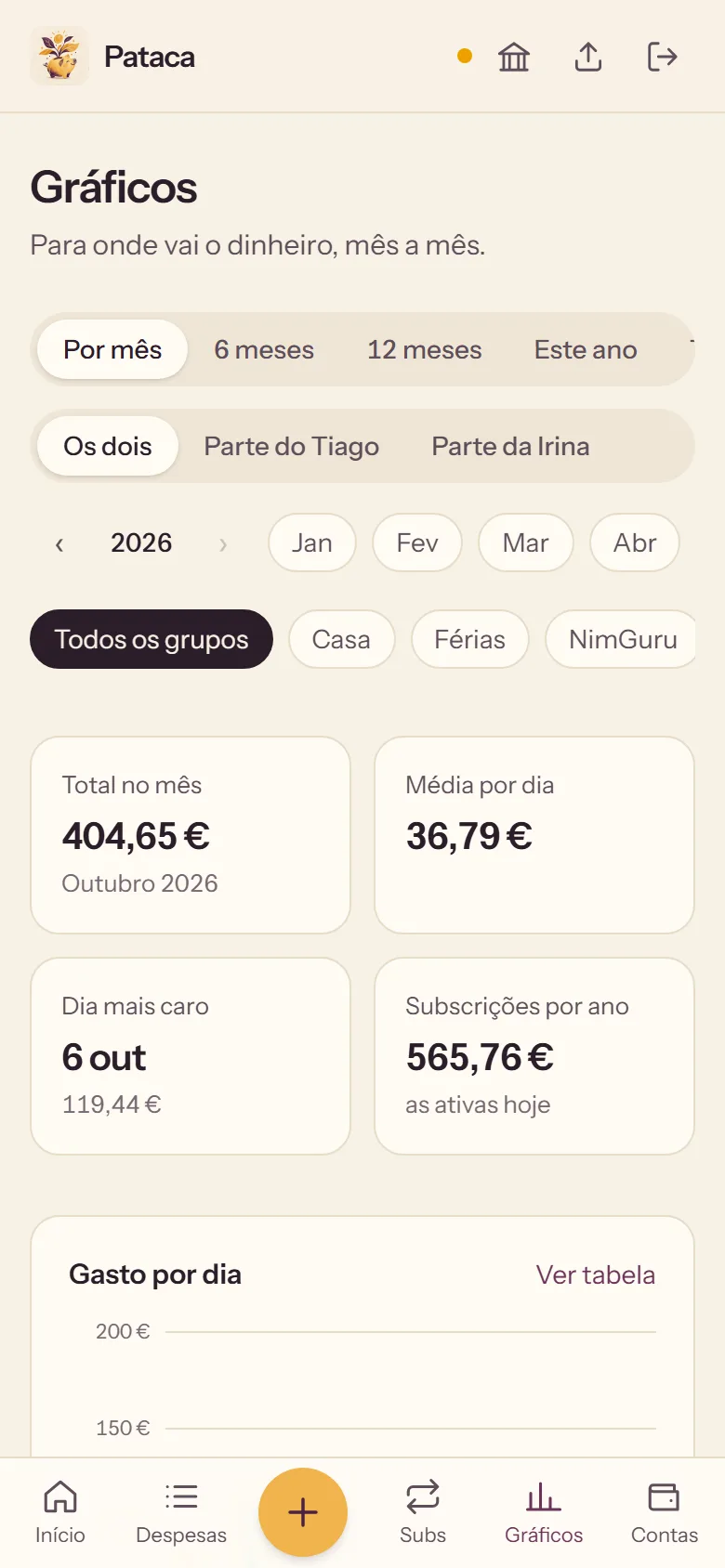
2. The month, day by dayThe average per day, and the day that cost the most.
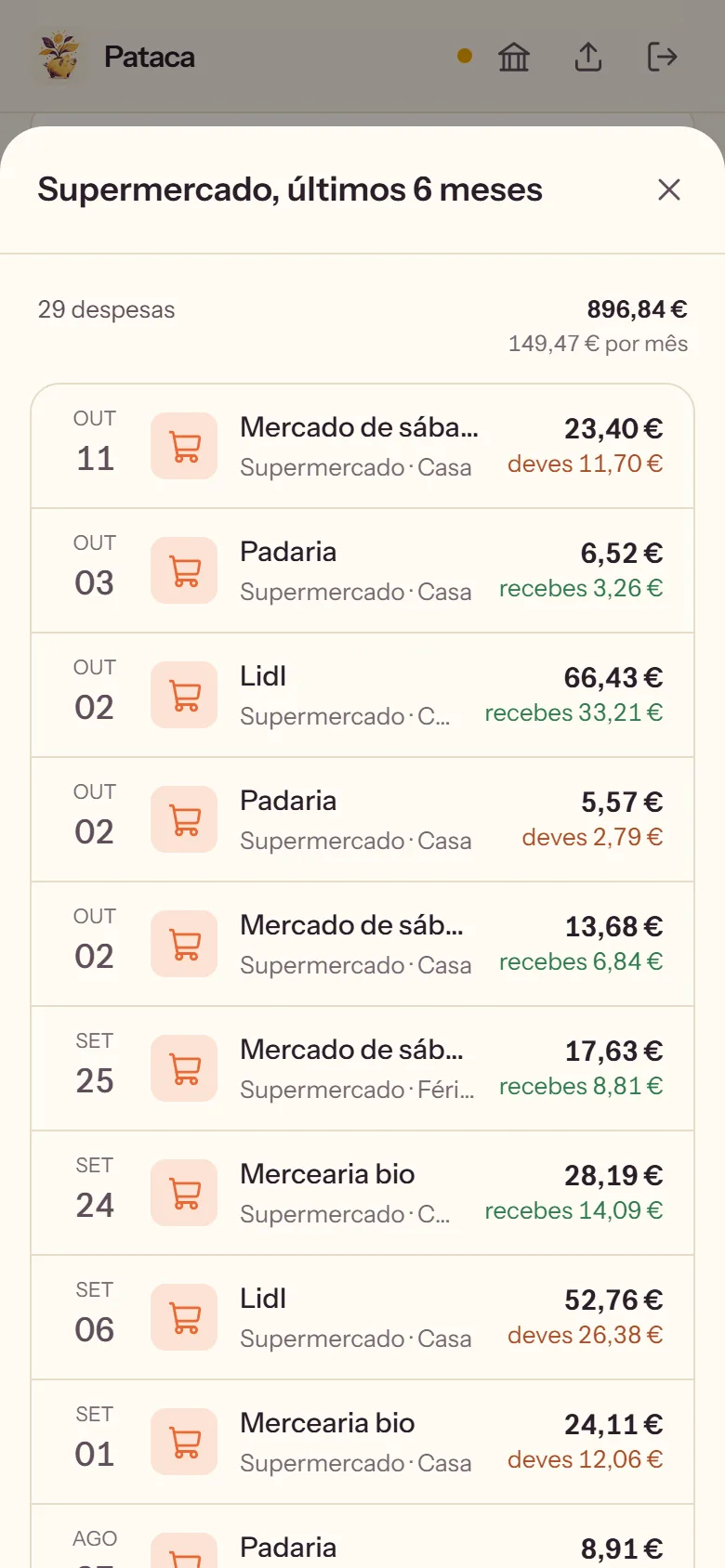
3. Behind the numberEvery expense in a category, shop by shop.
Results
Next, maybe for you too. Pataca, Paleio and Penca are NimGuru apps, made by Irina and me for our own home. If other people want them one day, they will open with a free trial and then one small subscription, with everything included from the first day. Inside, a suggestions tab goes straight to me, and what you ask for gets built within a week.