In short
- A website is like a house: an address, a structure, and the paint and furniture.
- Redesigning on top of a tired structure looks good for a few months, then it is slow again.
- Move to a new structure first, then renovate room by room while you live in it.
He wanted it to look better
A sound healing school, twenty years of courses, trainings and retreats, came to me with one clear wish: to improve what they already had.
The courses were good. The photos were good. But the website did not show any of it, and anyone who opened the home page waited more than two seconds before anything even started to appear.
The obvious answer was a redesign. New colours, a new layout, new photos. I asked him to wait.
A website is a house
It helps to think of a website the way you think of a home. It has three parts, and only one of them is visible.
It is yours, it stays yours, and people keep finding you in the same place.
Foundations, walls and plumbing. Nobody sees it, and everything depends on it.
What people see when they walk in.
Most people only ever think about the third part, because it is the only one they can see.
Ten years of repairs
His site was built on WordPress almost ten years ago. Every new feature came in as a plugin, an add-on placed on top of another add-on.
None of them show. All of them weigh something. Together they are why the home page takes more than two seconds just to begin opening, and two seconds is long enough for many people to leave.
Redesigning on top of this is painting the walls of a house whose structure is giving way.
It looks lovely for a few months. The house is still slow, and every new job costs more than the last one.
Move first, then renovate
So I suggested the opposite order, in two steps.
I build a new, clean structure at the same address, with every page, in both languages. The old site stays online the whole time. The home page gets its new design straight away, so on moving day the difference is visible. The other pages keep their look for now, and they are already faster.
With the new site live, I redesign one page at a time, in order of importance. Each one goes live when he approves it.
Why this order
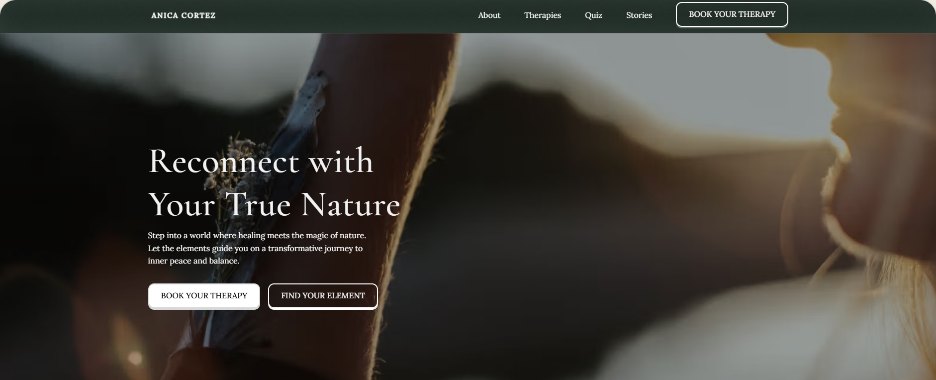
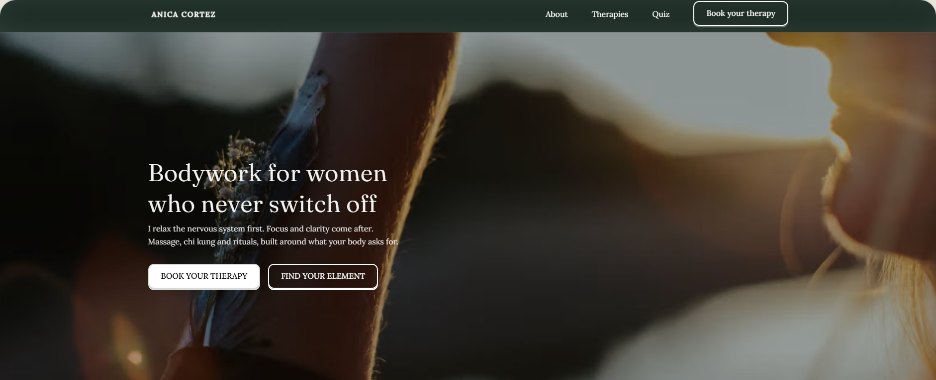
If you redesign everything before publishing, the new site only goes live when the very last page is approved.
That happened with a client of mine, and all that time she was still on the old site.
A two week site took two months, because her life did not stop. And good that it didn't.
In this order, the site is faster in the first fortnight. After that, a new page goes live every month or so, and the site gets better at the same pace he pays for it.
So which platform do I use?
None, in the WordPress or Webflow sense. Those are all-in-one: they give you a lot of generic things, and charge for them every year in hosting and updates.
I build each site in its own code, inside a tool called Ship Studio. It works like a bento box, those Japanese boxes with a small compartment for each thing. Each compartment holds one tool, and the box keeps them all together.
The builders
An AI I direct like a small team. I am the architect who decides.
The archive
Every version of the site, kept in a safe away from the building site.
The land
Where the house sits, with no rent to pay.
The notice board
A simple panel to add a retreat or a training. Later, and only if you want it.
In practice, you stop paying for hosting and updates, and nobody is locked in. Not you, and not me.
What stays exactly the same
- The address. Your domain stays yours. Moving is two lines in its settings that say "the house is over there now".
- Everything that works today. Sign-up forms, payments, the online course, the emails. I list what the old site does, and we only move when each one works on the new one.
- Everything in your name. Domain, accounts and payments.
- Nothing goes live without you. You always see it first at a temporary address.
Is this you?
Not every site needs to move. If yours is small, quick and cheap to keep, stay where you are, and I will tell you so.
- ✓Your home page takes a moment to appear.
- ✓Every change feels like it might break something.
- ✓You pay every year for hosting and updates, and you are not sure what for.
- ✓Your work has grown, and the site has not.
If two of these sound familiar, it is worth a conversation.
Want to know which house yours is?
Send me the link. I will tell you honestly whether it needs a move, a renovation, or nothing at all.