Gaia
Hours &
Expenses
Restaurant & Organic Grocery
2026
Web app
Hours & pay
Two languages
A friend works part-time at a restaurant and organic grocery. Every day she logged clock-in and clock-out times in her phone's Notes app, and jotted down whatever she bought in-store, so at month's end she could work out hours worked minus store spending to reach her final paycheck. It was confusing, tedious and easy to get wrong, so in a single afternoon I built her an app in the store's colours to replace all of it.
Strategy
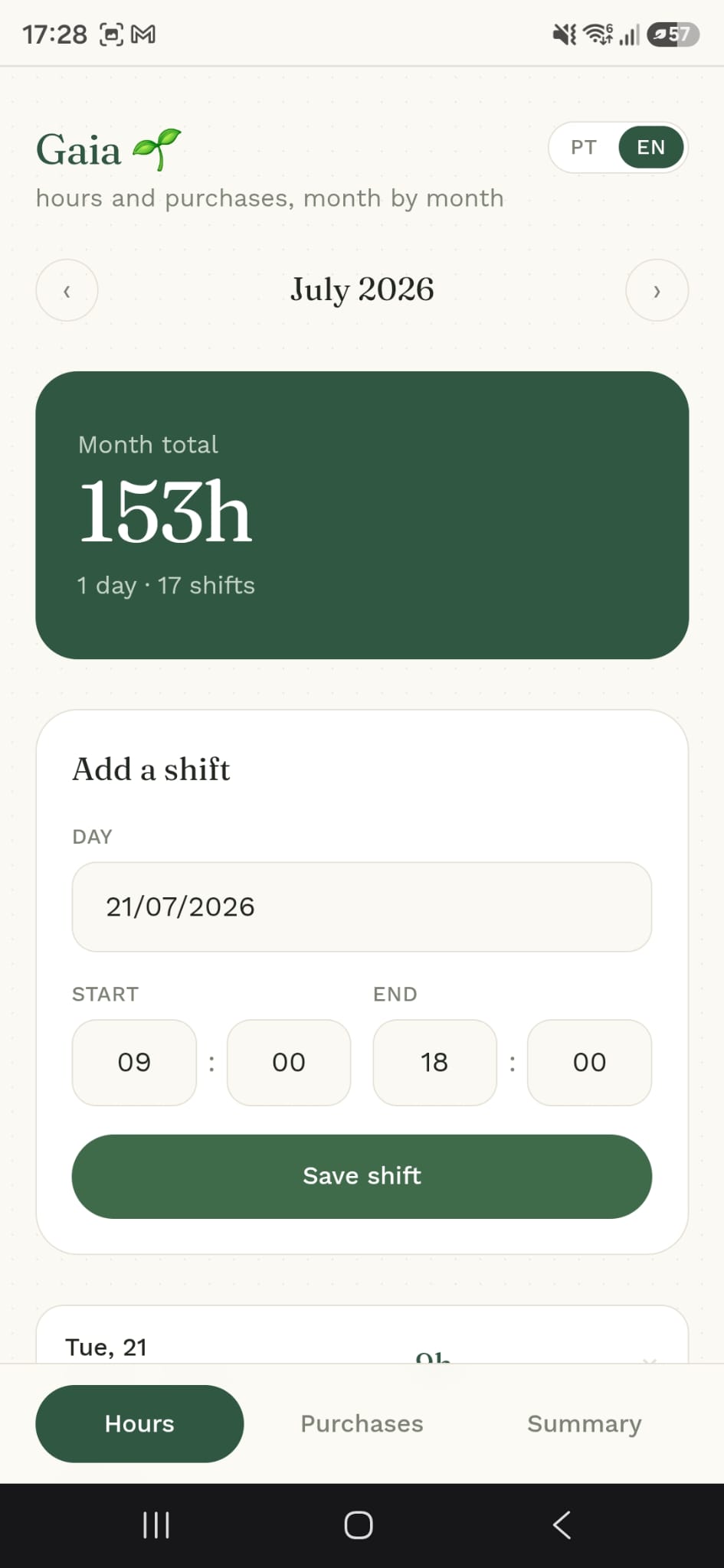
She opens the app and the day is filled in automatically. She picks the time she clocked in and out, hits save shift, and that's it. Every day of the month is stored, so her total hours are always up to date, with no manual math.
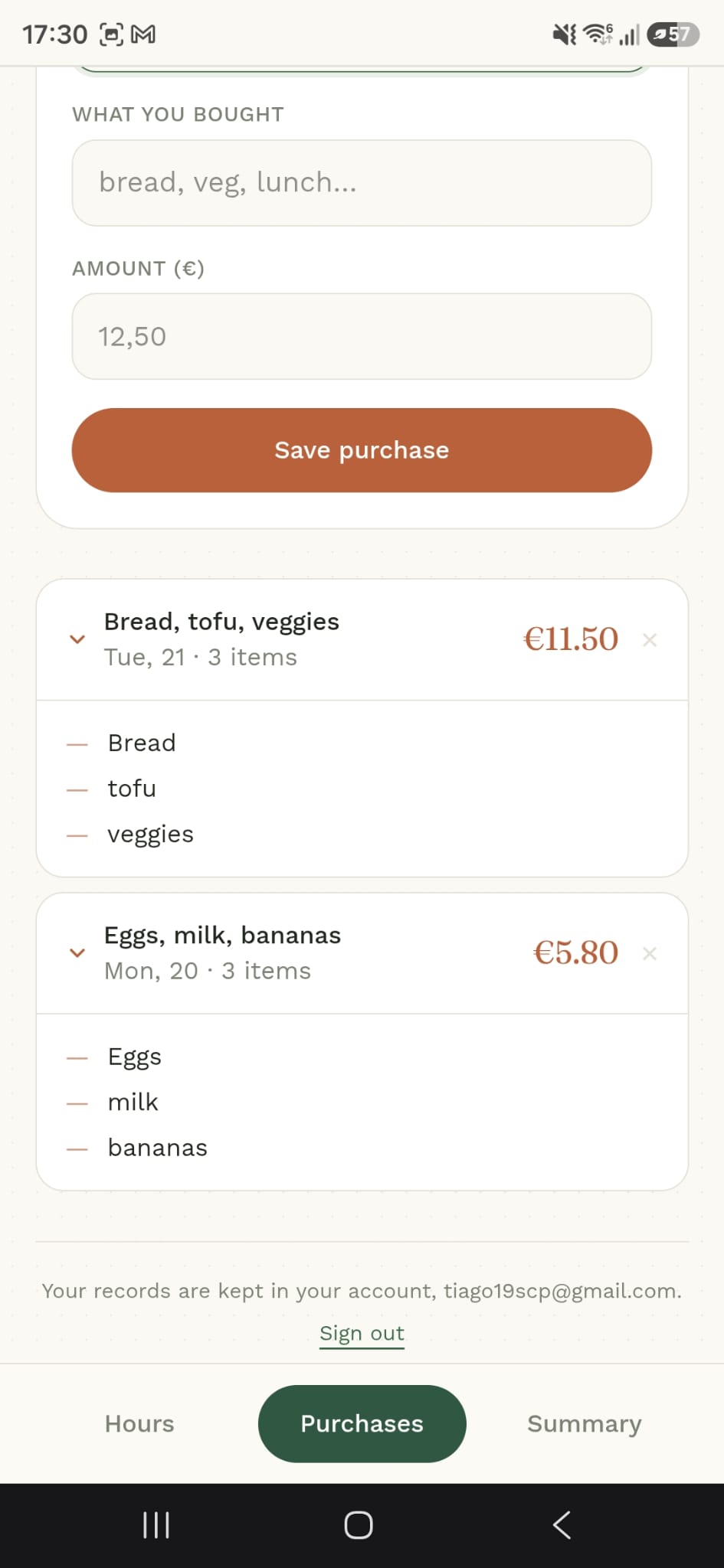
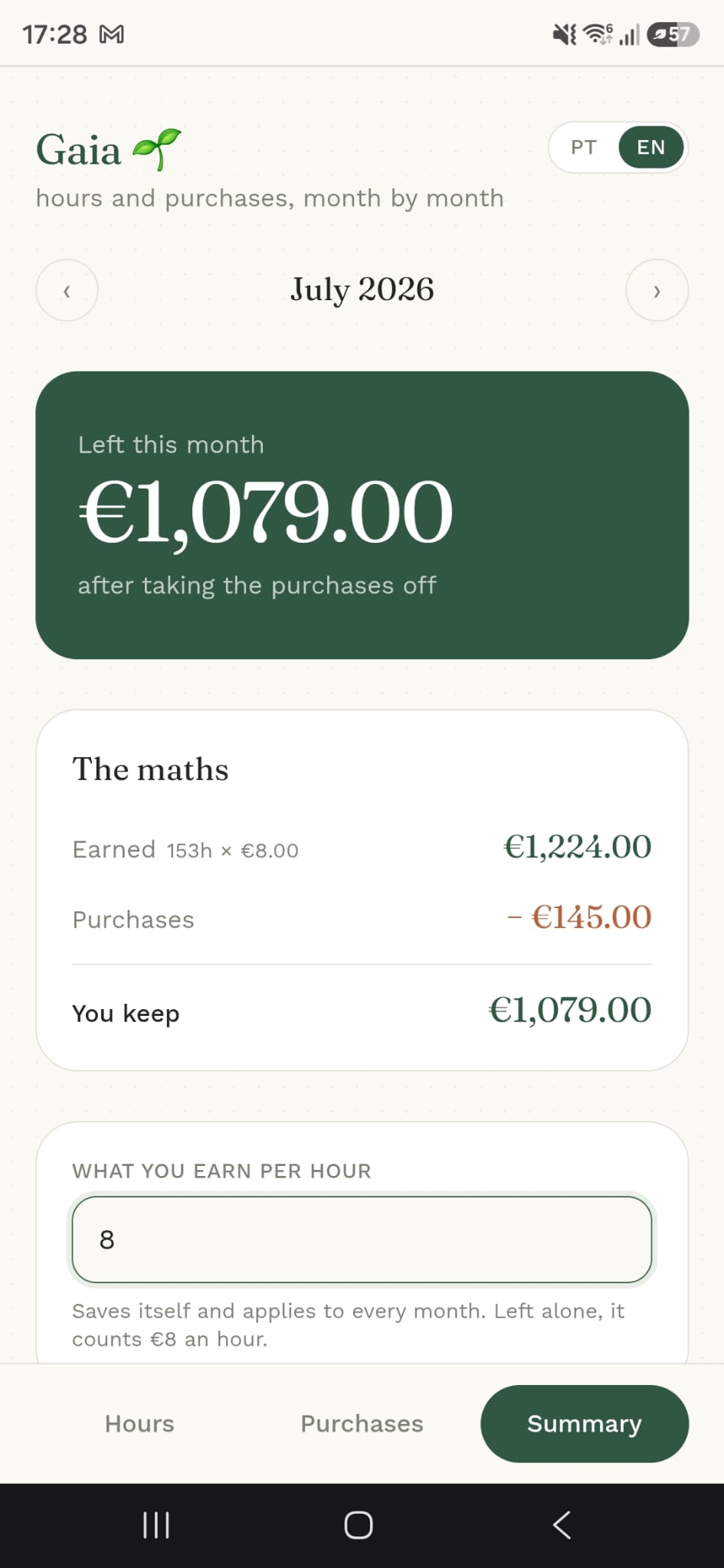
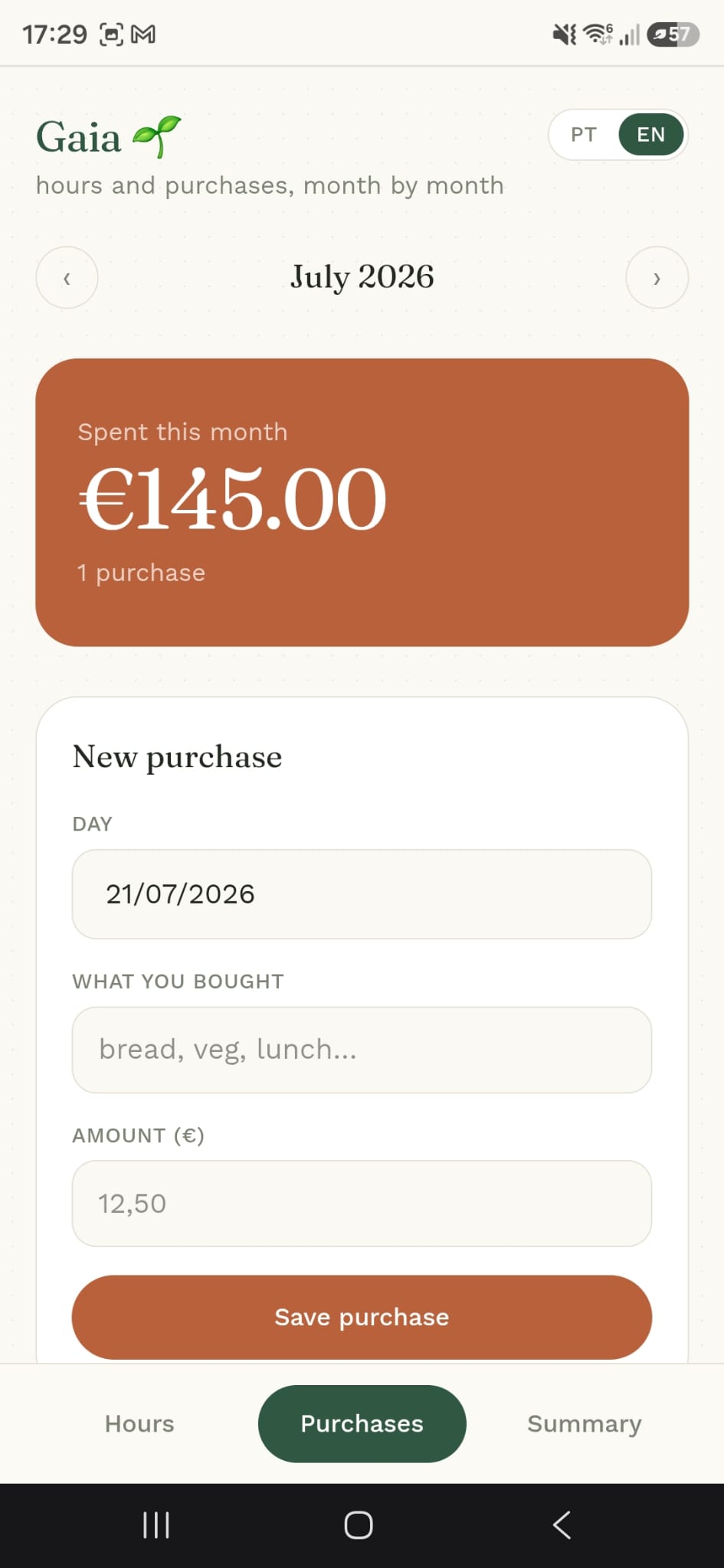
She logs each grocery purchase the same easy way. A final summary does the calculation for her: hours worked × hourly rate, minus in-store spending = the final paycheck. Now imagine 10+ people each doing this by hand in a notes app. This removes all of it.
It saves to a proper database so the whole team can use it, it speaks Portuguese and English, and it looks like the store's own website. By hand, this would have been weeks of work.
Design
Deep green, a warm terracotta and an elegant serif for the numbers, taken from the store's website, so it feels like part of her job.
Hours, Purchases and Summary sit at the foot of the screen. Each tab does one thing, with a big coloured card for the number that matters.
Earned, purchases, you keep. The summary shows the sum line by line, so she can check it against her payslip in seconds.